Smart On-Device Object Detection, Dense Photo Inventory & Tactile Multi-Board Tally Clicker
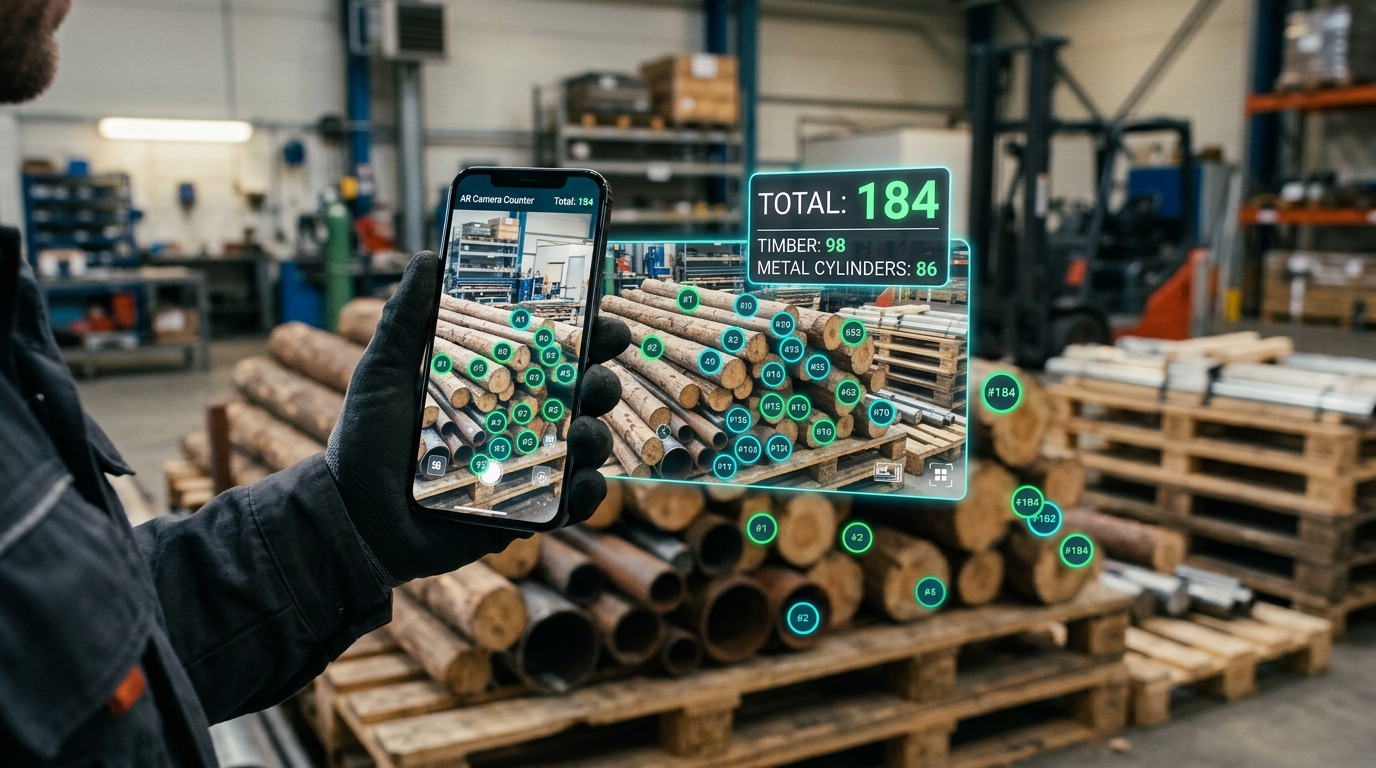
Tired of counting inventory, components, or dense stacks by hand? AR Camera Counter is your all-in-one smart counting assistant, combining real-time on-device augmented reality (AR) tracking, high-density photo analysis, and a tactile multi-category tally clicker. Ideal for warehouse stock, shipments, timber logs, metal pipes, conveyor lines, and retail audits.
Engineered for speed, accuracy, and versatility across warehouse management, manufacturing, logistics, and field audits.
Point your camera at everyday objects and let on-device AI detect and highlight items instantly in real time.
Set automated directional counting lines and custom regions of interest to count objects moving along conveyor belts.
Snap a photo or import high-res gallery images to count hundreds of repeating objects in seconds with specialized algorithms.
Sleek digital dial with haptic vibration feedback for manual high-speed counting with concurrent multi-category boards.
Generate formal audit-ready documentation and raw data export for seamless ERP, Excel, and spreadsheet integration.
Every counting session is saved locally in an organized, searchable SQLite database sandboxed on your device.
Combining Google MediaPipe, TensorFlow Lite, and custom morphological filters for unmatched mobile accuracy.
Point your device at items moving across a factory table or conveyor line. The on-device neural engine detects items and renders floating circular badges with 60–120 Hz interpolation.
Counting dense cross-sections by hand is prone to fatigue and human error. AR Camera Counter's dedicated Hough circle transform and blob detection algorithms isolate repeating items in seconds.
Need to audit multiple categories at once? Multi-Board Mode gives you independent digital counters on a single screen with haptic pulse feedback.
Turn counting sessions into official audit documents ready for supervisors, clients, and inventory databases.
Your privacy and industrial security are paramount. All computer vision models, neural networks, and photo analyses run 100% locally on your device's processor. Your camera feed, photos, and counting records are NEVER uploaded to any external server or cloud service. The app operates with complete fidelity offline.
AR Camera Counter requests only the minimal runtime permissions required to function. Here is our full disclosure:
| Permission | Technical Android Name | Functional Purpose |
|---|---|---|
| Camera | android.permission.CAMERA |
Used solely to stream video frames to the on-device AI detector for real-time object counting and to capture inventory snapshot photos. Video frames are processed in volatile memory and are never transmitted over the internet. |
| Vibration | android.permission.VIBRATE |
Provides tactile haptic vibration feedback when an object is counted, clicked, or when a counting goal threshold is achieved. |
| Internet | android.permission.INTERNET |
Used solely by third-party services (Google AdMob for non-intrusive advertisements and Google Play In-App Updates to check for new versions). |
| Network State | android.permission.ACCESS_NETWORK_STATE |
Used by Google AdMob to verify network connectivity before requesting advertisements, preventing unnecessary background retries when offline. |
Built with 100% Kotlin, Android Jetpack, CameraX, and Google MediaPipe for rapid, deterministic edge inference.
Modern, expressive Android Native codebase
Robust lifecycle-aware camera capture
On-device object detection & tracking
Local edge inference with zero cloud latency
Sandboxed local session database
Smooth asynchronous background processing
Pre-cleared metadata and technical specifications for Google Play deployment.